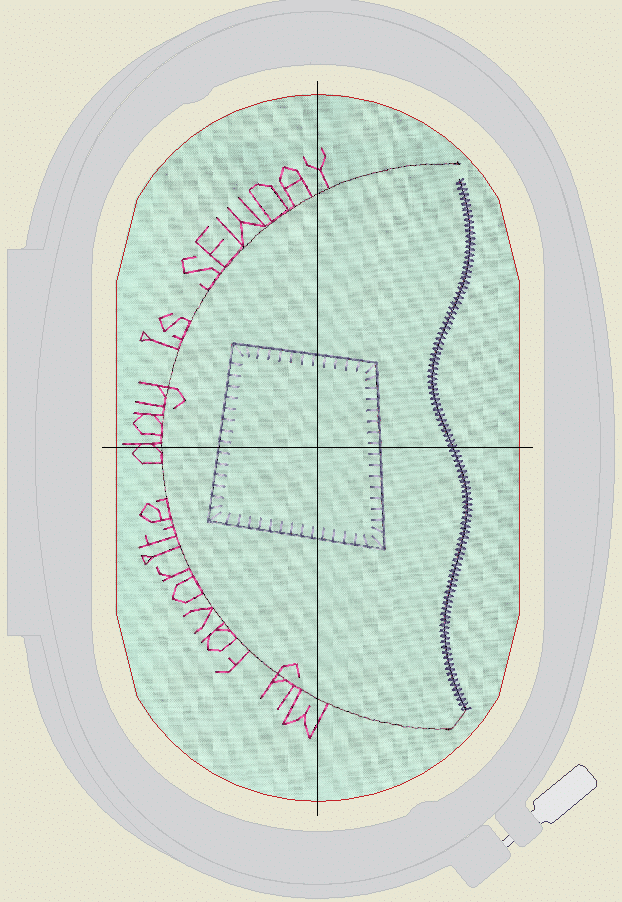
Want to learn how to use the scan from your B 990 with the Bernina v9 Software, Creator, or Designer Plus? Then this is the class for you!
I’ll explain and demonstrate, step by step, how easy it is to use the B 990’s scan feature with your v9 Software. Get perfect placement of your lettering, appliqué, or design using the scan. When digitizing is complete, send it to the machine with exact placement as shown in the scan.
The class will focus on working with the scan, adding the design, and then moving the design back to the machine.
I will provide basic instructions on working with the built-in Appliqué functions on both Creator and Designer Plus.
Included with the course:
Link access to Step-by-Step Video Supplements
Downloadable content included:
Supply and materials list.
Full-Color PDF step-by-step Project Instructions
Test Design for the Scan.
Reviews
There are no reviews yet.